Setting up your catalog
Add the things you sell (space rentals, packages, menus, fees) to your catalog with prices and units, so documents can be priced in a couple of clicks.
The catalog is your price list: space rentals, packages, per-guest menus, fees. When you build a proposal, you add catalog items to its Pricing or Options block instead of typing them out each time. Each line keeps its own copy, so you can still change the price or wording on a single document.
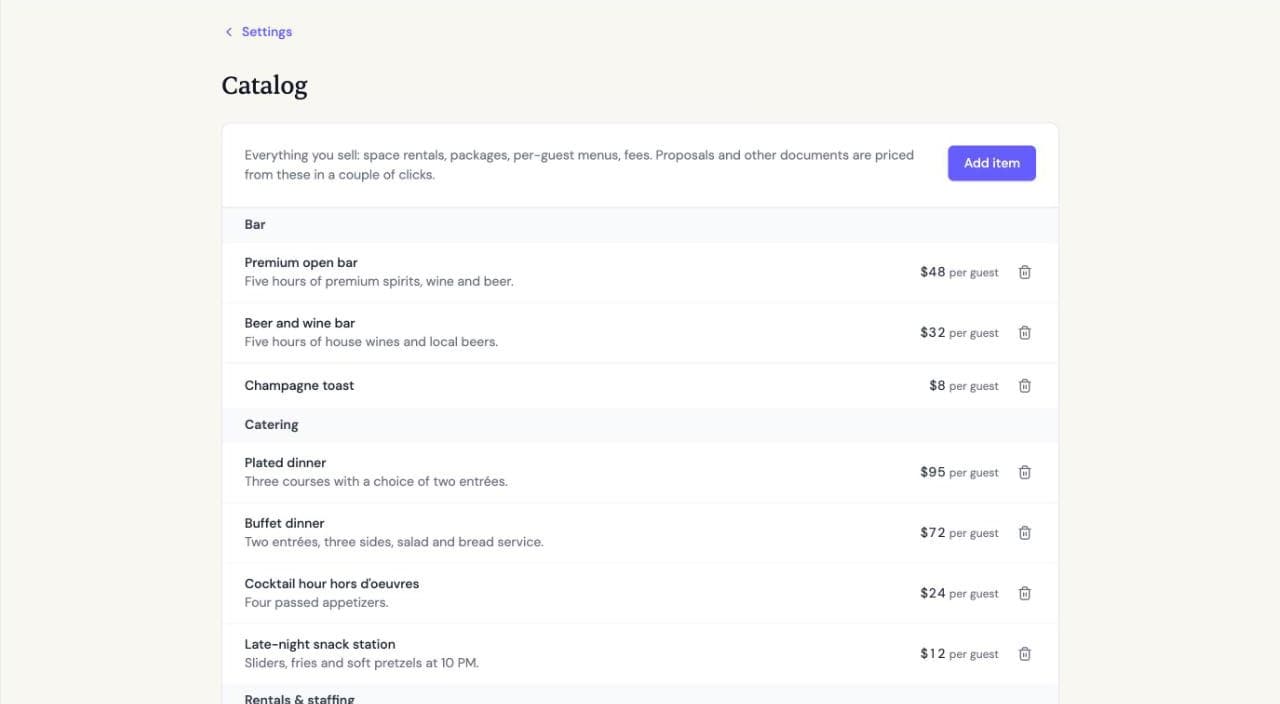
Adding an item
- Open Settings, then Catalog.
- Click Add item (or Add your first item on an empty catalog).
- Enter a Name and, if you like, a Description. The description is shown to the client under the item.
- Enter the Price and choose how it's Priced: each, per guest, per hour, per day or flat.
- Choose a Category, or leave it Uncategorized.
- Leave Taxable ticked if tax applies to it.
- Click Add item.
Click any item to edit it, then Save changes.
Units
| Priced | Use it for |
|---|---|
| each | Things counted one by one: chairs, linens, extra hours of a coordinator. |
| per guest | Menus, bar packages and anything that scales with the head count. |
| per hour | Hourly space rental or staffing. |
| per day | Multi-day rentals. |
| flat | A fixed fee or an all-in package. |
On a document, the line total is quantity times price. Spacestack doesn't fill the quantity from the guest count; set it on the line when you add a per-guest item.
Catalog categories
Categories group your items in the catalog and in the Add from catalog picker. Add one in the Categories card at the bottom of the page (for example “Food & beverage”), rename one by editing its name, and delete one with the bin icon. A category that still has items can't be deleted; move its items first.
Removing or retiring an item
Click the bin icon on an item. You can Remove it, or Mark inactive if you might sell it again: an inactive item stays in the catalog but is left out of the picker on documents. Bookings and documents that already use an item keep their own copy either way.
Using the catalog on a document
- In a Pricing or Options block, click Add from catalog.
- Search, or browse by category, and click items to add them. A tick shows what you've added; the picker stays open so you can add several.
- Click Done.
Common questions
Where do I set up packages?
Add each package to the catalog as an item (usually priced flat or per guest). On a document, put them in an Options block so the client chooses one. See Pricing, packages and options.
Can I add a photo to a catalog item?
Not from the Catalog page at the moment. You can add a photo to each option card in an Options block on the document itself.
Where are tax and service charge set?
Your defaults are under Settings, then Documents & payments. Each booking and document can then have its own rates.
Was this article helpful?