First-day setup checklist
The setup steps that get Spacestack working for your venue, in order: venues and spaces, team, pipeline, catalog, documents, payments and your inquiry form.
Owners and adminsUpdated
Work through these in order on your first day. Most take a few minutes, and each links to a full guide. Owners and admins can change these settings; staff and viewers can't.
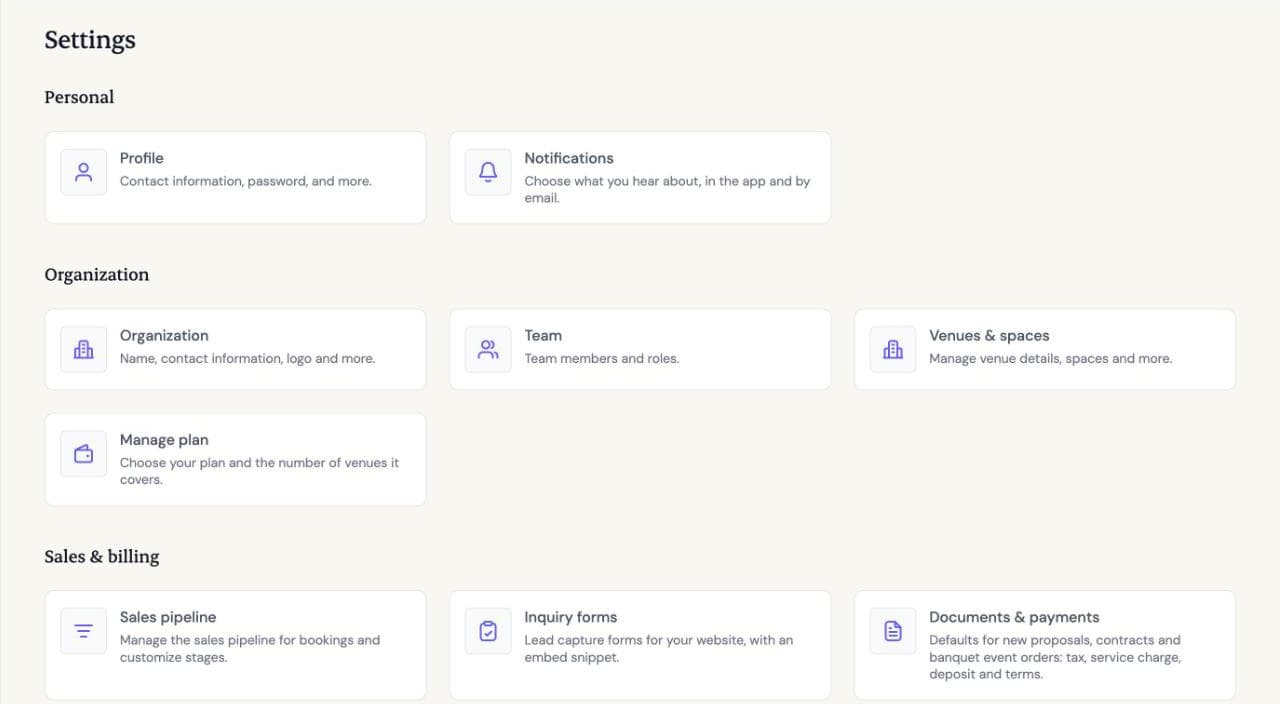
The checklist
- Confirm your email. Open the link we sent when you signed up. See Your profile, password and Google sign-in.
- Add your venues and spaces. Your first venue and space went in during the welcome steps. Add every other room or area you sell, with its seated and standing capacity. Events hold spaces, so this comes first. See Setting up venues and spaces.
- Fill in your organization details. Logo, address, time zone and your client portal address. See Organization settings.
- Invite your team, if you skipped it during the welcome steps. Give each person the right role. See Adding team members and Roles and permissions.
- Review your pipeline stages. Rename, reorder or add stages to match how you sell. See Using the sales pipeline.
- Build your catalog. Space rentals, packages, menus and fees, so proposals price themselves. See Setting up your catalog.
- Set your document defaults and look. Tax, service charge, deposit and terms in Documents & payments; fonts and colors in Document theme. See Branding your documents and Templates and document categories.
- Choose how clients pay. The owner connects Stripe for card payments, or adds payment instructions, in Online payments. Then check numbering and reminders in Invoices. See Connecting Stripe and Invoice settings.
- Put an inquiry form on your website. New leads land in your pipeline. See Setting up your inquiry form and Adding the form to your website.
- Create your first booking, or wait for your first inquiry. See Creating a booking.
- Choose your plan before your free trial ends. It starts when the trial ends, so choosing early costs nothing. See Starting your free trial.
Optional, when you're ready
- Add your own fields to bookings and contacts. See Adding custom fields.
- Adjust task statuses and priorities. See Customizing task statuses and priorities.
- Choose which notifications you get by email. See Notifications.
Common questions
I closed the Get set up card. How do I get it back?
It's hidden in the browser where you closed it. Open Spacestack in another browser to see it, or use this checklist instead: every step links to the same settings.
Can someone help us set up?
Yes. New venues get free white-glove setup and migration. See Moving from another tool.
Was this article helpful?
Related articles
Setting up venues and spacesAdd your venues and the spaces you sell, with capacities and square footage, and archive, delete or restore a venue or space when things change.Adding team membersInvite teammates to Spacestack, choose their role, resend or cancel invitations, change roles, and remove someone while handing their open work to a colleague.Setting up your catalogAdd the things you sell (space rentals, packages, menus, fees) to your catalog with prices and units, so documents can be priced in a couple of clicks.Setting up your inquiry formCreate a Spacestack inquiry form, choose its questions, link answers to custom fields, style it, and decide where leads go and who hears about them.