Booking statuses: lead, tentative, definite and lost
What Lead, Tentative, Definite and Lost mean in Spacestack, which statuses hold spaces, how events follow the booking and how status syncs with pipeline stages.
Every booking and every event has one of four statuses. The status says how firm the business is, decides whether the event's spaces are held, and sets its color on the calendar.
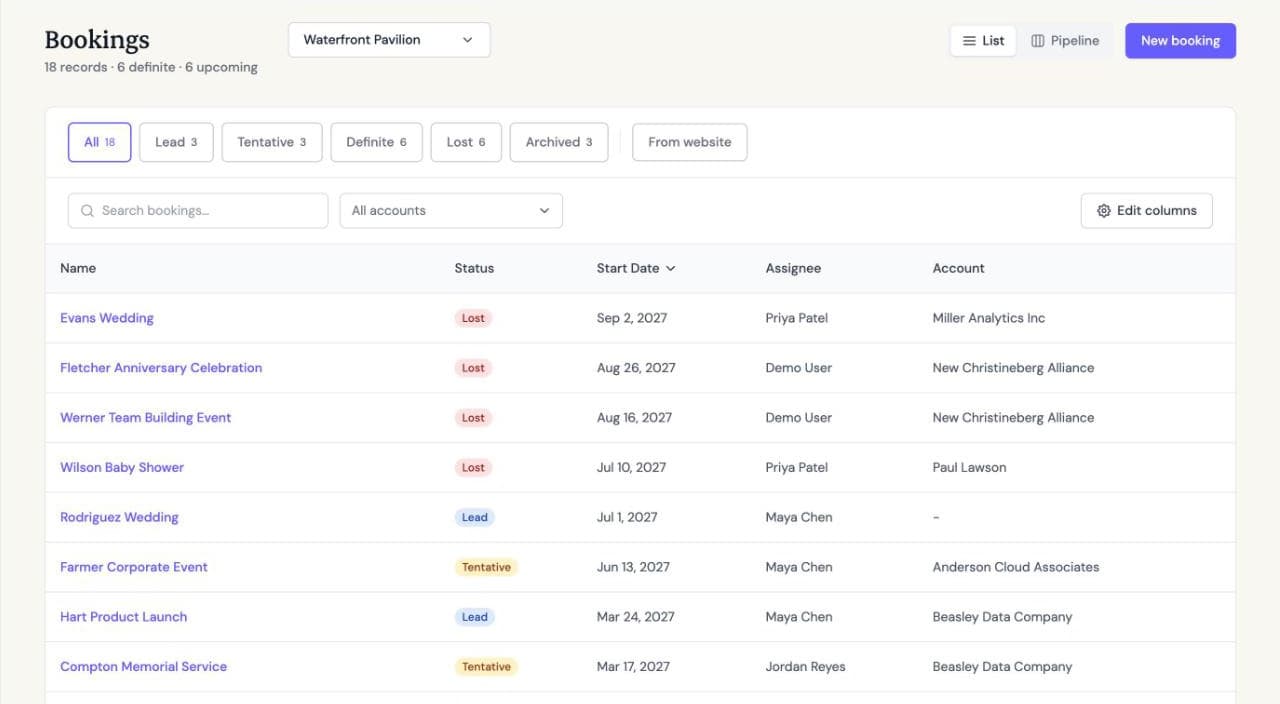
| Status | What it means | Holds spaces? | Calendar color |
|---|---|---|---|
| Lead | A new inquiry you're still working. | Yes | Blue |
| Tentative | The client is serious and you're holding the date. | Yes | Yellow |
| Definite | Confirmed: signed, or as good as. | Yes | Green |
| Lost | It isn't going ahead. | No | Red |
Changing a booking's status
- Open the booking.
- Choose the new status from the Booking status dropdown at the top right.
You can also move the booking on the pipeline bar or the pipeline board. Moving it to the won stage sets Definite; moving it to the lost stage sets Lost.
How events follow the booking
Each event has its own status, so a two-day booking can have a definite first day and a tentative second day. When you change the booking's status:
- Events that had the same status as the booking move with it.
- Events you set to a different status on purpose stay where they are.
- Marking the booking Lost makes every one of its events Lost, which releases all their spaces.
- A new event starts at the booking's current status.
How status and pipeline stage stay in step
- A booking is Definite exactly when it sits in the won stage, and Lost exactly when it sits in the lost stage. Change either one and the other follows.
- The stages in between (such as Qualified or Proposal Sent) track how far the sale has got. Moving between them leaves Lead or Tentative alone.
- Dragging a booking out of the won stage makes it Tentative. Dragging it out of the lost stage makes it a Lead.
- Setting a lost booking back to Lead or Tentative moves it to the first open stage. Taking a booking off Definite moves it to the last stage before won.
Bringing a lost booking back
When a lost booking becomes Lead, Tentative or Definite again, its events take their spaces back. If another booking has taken one of those spaces at that time in the meantime, Spacestack refuses and names the booking that holds it. Move the event or change its spaces first, then change the status.
Confirming after a signature
When a client signs a proposal or contract (or anything in a category set to confirm bookings), the booking page asks whether to mark the booking Definite. Nothing changes until you click Mark as Definite. If the booking has no deal value yet, it takes the signed total, and its events on the same status move to Definite too.
Common questions
Is there a status for cancelled bookings?
Use Lost. It releases the spaces and keeps the booking and its history. If you want it out of your lists and calendar as well, archive it.
Can I record why a booking was lost?
There isn't a lost-reason field. Add a note on the booking's Notes tab, or create a custom field for it.
Do lost events still show on the calendar?
Yes, in red, but they don't hold spaces. Archived bookings' events leave the calendar entirely.
Was this article helpful?