Answering a questionnaire from your venue
How to fill in a questionnaire from your venue: question types, uploading files (up to 5 per question, 25 MB each), saving as you go, and when answers lock.
Venues send questionnaires to collect the details they need for your event, such as timings, guest information, menu choices or a floor plan. You fill it in online, in your client portal, and can come back to it as often as you like before you send it.
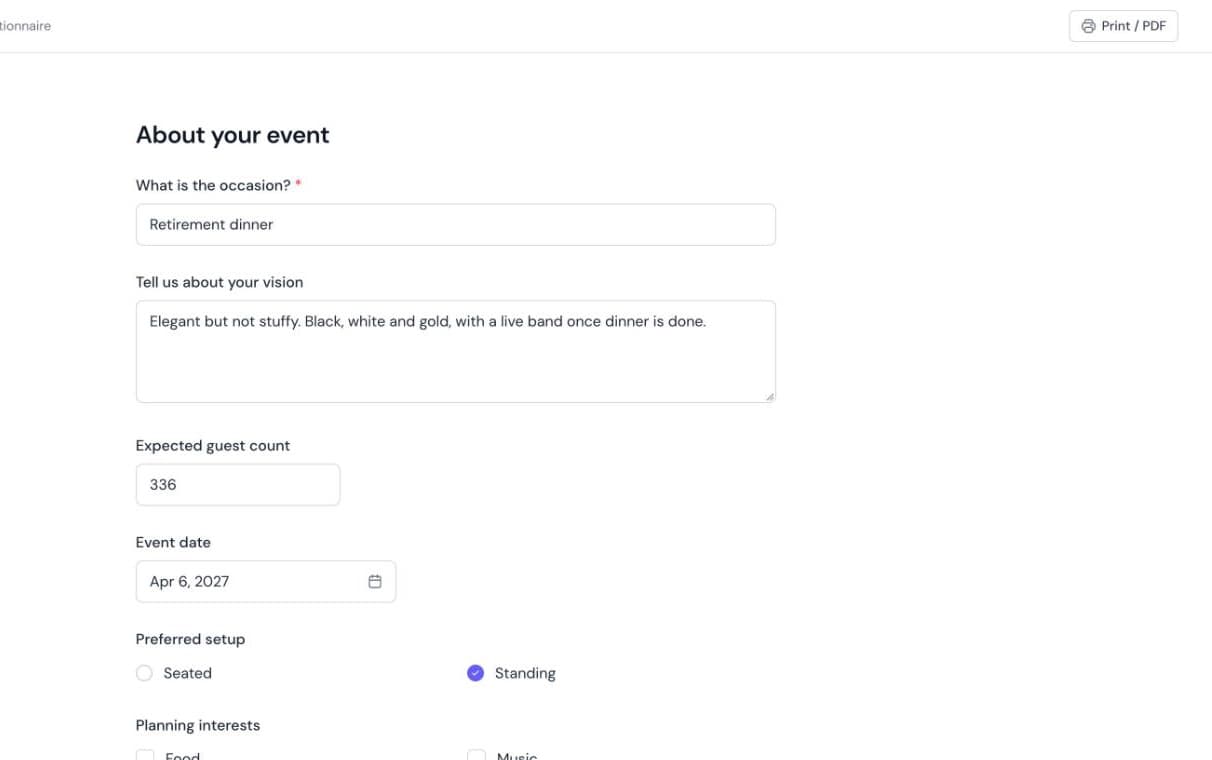
Filling it in
- Open the questionnaire from your venue's email, or from Documents on your booking in the portal.
- Answer each question. Required questions have a red asterisk.
- Leave and come back whenever you like. Your answers are kept as you go.
- When you're ready, select Submit at the end (or Review and submit in the bar at the bottom).
If a required question is still empty, the page scrolls to it and shows “Please answer this one.”
Kinds of questions
| Question | How you answer |
|---|---|
| Short or long text | Type your answer |
| Number | Type a number |
| Date | Pick a date from the calendar |
| Dropdown | Select Choose one, then pick an option |
| Multiple choice | Pick one option |
| Checklist | Tick as many as apply |
| File upload | Select Choose files and pick files from your device |
| Initials | Type your initials (up to 4 letters) |
Uploading files
- Up to 5 files per question, each up to 25 MB.
- Accepted: PDFs, images (JPG, PNG, GIF, WebP, HEIC), Word, Excel, PowerPoint, plain text and CSV files.
- Select Add another file to add more, or the × next to a file to remove it before you submit.
When your answers lock
Once you select Submit, your answers go to your venue and the page shows “Thank you” with the date they were sent. After that you can read your answers but not change them.
If the questionnaire is part of a document you also sign, such as a contract, your answers lock when the first person signs it.
Common questions
Can someone else help me fill it in?
Anyone your venue has sent it to can open it and fill it in. If your partner or planner should help, ask your venue to send it to them too.
My file won't upload.
Check it's one of the accepted types and under 25 MB. If you see “That kind of file cannot be uploaded”, save it as a PDF or image and try again.
Do I need to finish it in one go?
No. Your answers are saved as you type, so you can close the page and come back later.
Was this article helpful?